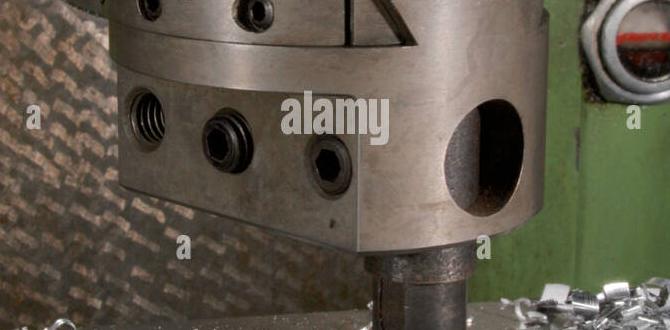
The 3/16 inch carbide end mill is your go-to tool for clean, precise cuts in acrylic. Its specific geometry and heat-resistant properties prevent melting and chipping, ensuring smooth edges and accurate details for any project, from intricate models to custom signage.
Hey there, fellow makers and hobbyists! Daniel Bates here from Lathe Hub. Ever tried cutting acrylic with a standard bit and ended up with a melty, chipped mess? It’s a common frustration, especially when you’re working on those detailed projects that require a clean finish. The good news is, there’s a simple solution. Choosing the right tool makes all the difference, and that’s where our star player comes in: the 3/16 inch carbide end mill.
This little powerhouse is specifically designed to handle plastics like acrylic, giving you those crisp, professional results you’ve been dreaming of. No more sticky residue or jagged edges to clean up! In this guide, we’ll explore exactly why the 3/16 inch carbide end mill is so essential for working with acrylic and how you can use it with confidence. We’ll break down the features, the benefits, and the best practices, so you can get back to creating.
Why the 3/16 Inch Carbide End Mill is a Game-Changer for Acrylic
When you’re cutting acrylic, heat is your enemy. Acrylic, being a thermoplastic, softens and melts when it gets too hot. This is precisely why selecting an appropriate end mill is crucial. A standard metal cutting end mill can generate excessive heat through friction, leading to a gummy mess that clogs the flutes of the tool and ruins the surface finish of your acrylic. This can result in:
- Melting
- Chipping and cracking
- Poor surface finish
- Tool wear and damage
- Inaccurate cuts
This is where the 3/16 inch carbide end mill shines. Let’s dive into what makes it so special for this material.
The Material Matters: Carbide vs. HSS
The primary reason the 3/16 inch carbide end mill excels with acrylic is its material composition. Most end mills are made from either High-Speed Steel (HSS) or Carbide. While HSS is robust and widely used for softer metals, it doesn’t perform as well with materials that generate high heat like acrylic.
Carbide: The Heat Conqueror
Carbide, also known as tungsten carbide, is an exceptionally hard and brittle ceramic compound. Its key advantages for cutting acrylic include:
- Superior Hardness: Carbide is significantly harder than HSS, which means it can maintain its sharp edge longer even at higher cutting speeds.
- Heat Resistance: Carbide can withstand much higher temperatures than HSS before deforming or losing its hardness. This is critical for acrylic, where heat buildup is a major concern.
- Higher Cutting Speeds: Because it’s harder and more heat-resistant, you can generally run carbide tools at faster speeds and feeds, leading to quicker material removal and improved productivity.
High-Speed Steel (HSS): Not Ideal for Acrylic
HSS, while a good all-around cutting material, has limitations when it comes to acrylic:
- Lower Heat Tolerance: HSS begins to lose its hardness at temperatures around 1100°F (593°C), while carbide can withstand temperatures up to 1500°F (816°C) or even higher depending on the grade. With acrylic, you’re often dealing with friction heat well within HSS’s softening range.
- Less Rigid: HSS end mills are generally more flexible than carbide, which can lead to chatter and vibration, especially in plastics.
- Tendency to Melt: The friction generated by an HSS bit cutting acrylic can quickly cause the plastic to melt, gumming up the flutes and creating a poor cut.
The Importance of the 3/16 Inch Size
The 3/16 inch diameter (which is approximately 4.76mm) is a popular choice for hobbyists and DIYers working with acrylic for several compelling reasons:
- Versatility: This size is perfect for a wide range of applications, from cutting out intricate stencils and small components for models to creating larger panels for signs or enclosures. It offers a good balance between detail capability and material removal rate.
- Manageable Chip Load: A 3/16 inch end mill, when properly used, allows for controlled chip loads, which helps to evacuate material efficiently without overloading the tool or creating excessive heat.
- Standard Shank Size: The 3/16 inch diameter often comes with an 8mm shank, which is a very common size for many desktop CNC machines and routers, making it readily compatible with a wide variety of equipment. This standard sizing reduces the need for special collets or adapters. You can find “carbide end mill 3/16 inch 8mm shank standard length for acrylic heat resistant” readily available from many manufacturers.
- Detail and Strength: It’s small enough to create fine details and sharp corners, yet substantial enough to offer good rigidity and strength for its size, minimizing deflection.
Specialized Geometry for Acrylic
Beyond the material, the design of an end mill specifically intended for plastics and acrylics addresses how chips are formed and evacuated. For acrylic, you’ll often find variations on these geometries:
For acrylic, specialized end mills often feature:
- Up-Cut vs. Down-Cut vs. Compression:
- Up-Cut: These spiral upwards. They are good for pulling chips out of the cut, which helps with cooling and chip evacuation in acrylic. This is often the most common type used.
- Down-Cut: These spiral downwards. They push chips down, which can help to create a cleaner surface finish on top but can lead to chip recutting and increased heat if not managed well in acrylic.
- Compression: These bits have a combination of up-cut and down-cut spirals. They are designed to provide a clean top and bottom surface finish, clamping the material as they cut. These can be excellent for acrylic but require precise settings to avoid melting.
- Flute Count: Often, end mills designed for plastics will have fewer flutes (e.g., 2 or 3 flutes) compared to those for harder metals (4+ flutes). Fewer flutes provide larger chip pockets, allowing for more efficient chip evacuation and less chance of clogging.
- Rake Angle: A positive rake angle helps to shear the material cleanly, reducing cutting forces and heat generation.
- Polished Flutes: Many end mills made for plastics have highly polished flutes. This reduces the friction between the chip and the flute surface, preventing material from sticking and further aiding in chip evacuation and heat management.
Choosing the Right 3/16 Inch Carbide End Mill for Acrylic
When you’re out shopping for your 3/16 inch carbide end mill, keep these specifications in mind to ensure you get the best performance for your acrylic projects:
Key Specifications to Look For:
- Material: 100% Tungsten Carbide (or Carbide)
- Diameter: 3/16 inch (approx. 4.76mm)
- Shank Diameter: 8mm is common for this size, but check your machine’s requirements.
- Flute Count: 2 or 3 flutes are generally preferred for acrylic to maximize chip clearance.
- Geometry: Look for end mills marketed specifically for plastics, acrylic, or general-purpose cutting with good chip evacuation. Up-cut or compression spirals are often excellent choices. Polished flutes are a significant bonus. A standard length (often around 2 inches overall) is versatile.
- Coating: While not always necessary for acrylic, some coatings (like TiN or AlTiN) can further improve tool life and reduce friction, though they can increase cost. For most beginner acrylic work, uncoated bits with good geometry are often sufficient.
Types of 3/16 Inch Carbide End Mills for Acrylic:
Here’s a breakdown of common types you might encounter:
| End Mill Type | Best For | Pros for Acrylic | Cons for Acrylic |
|---|---|---|---|
| Single Flute (Up-Cut) | Maximum chip evacuation, softer plastics | Excellent chip removal, reduces heat buildup significantly. | Can sometimes lead to a rougher top surface finish compared to bits with more flutes. |
| Double Flute (Up-Cut) | Good balance of chip evacuation and a cleaner cut | Very versatile, good chip clearance, often provides a good balance of speed and finish. | Slightly less chip clearance than single flute. |
| Compression End Mill (2 Flute) | Achieving superior surface finishes on both top and bottom | Creates very clean edges on both surfaces, minimizing post-processing. Ideal for decorative work. | Requires more precise feed rate and depth of cut settings to avoid melting. Can be more prone to chip recutting if depths are too high. |
| Finishing End Mill (e.g., Ball Nose, Radius) | Creating smooth, curved surfaces or profiles | Allows for complex 3D carvings and smooth contours. | Not ideal for through-cutting or straight pockets; designed for surface treatment. |
For most beginner acrylic work involving cutting out shapes or pockets, a 2-flute up-cut end mill is an excellent starting point. If you’re aiming for the absolute cleanest edges with minimal finishing work, a compression end mill is worth the investment and practice.
Setting Up Your Machine for Cutting Acrylic
Simply having the right tool isn’t enough; you need to use it correctly. Proper machine setup is key to preventing melted acrylic and achieving those desired clean cuts.
Essential Machine Settings:
These are general guidelines, and you’ll always want to perform test cuts on scrap material to fine-tune your settings. Factors like the specific type of acrylic, the rigidity of your machine, and the exact end mill geometry will influence optimal parameters.
1. Spindle Speed (RPM):
This is how fast the end mill spins. For acrylic, it’s generally best to run at higher spindle speeds to keep chips small and help evacuate heat. Faster speeds also mean less time for heat to transfer into the material.
- Typical Range: 15,000 – 25,000 RPM. Many small desktop CNC machines and routers operate in this range.
- Tip: Start at the higher end of your machine’s capability and gradually reduce if you notice melting.
2. Feed Rate (IPM or mm/min):
This is how fast the end mill moves through the material. It needs to be balanced with spindle speed. If you feed too slowly, the bit dwells too long in one spot, generating heat. Feed too fast, and you risk tool breakage or poor surface finish. The feed rate also determines the chip load – the thickness of the chip each cutting edge removes.
- Typical Range: 20-80 IPM (inches per minute) for most desktop machines. This is roughly 500-2000 mm/min.
- Tip: A good starting point for a 3/16 inch end mill at 18,000 RPM might be around 30-40 IPM. Listen to the cut – a smooth, consistent sound is good. A “screaming” or chattering sound means it’s too fast or the depth is too much.
3. Depth of Cut (DOC):
This is how deep the end mill cuts in a single pass. For acrylic, it’s generally recommended to take lighter depths of cut. This allows the flutes to efficiently clear chips and prevents shock loading on the tool and machine. Trying to take too deep a bite is a fast way to melt acrylic.
- Per Pass: For a 3/16 inch end mill in typical acrylic (e.g., 1/8″ or 1/4″ thick), aim for a depth of cut that is about 25-50% of the end mill diameter. So, for 3/16″ diameter, a DOC of 0.047″ to 0.094″ per pass is a good starting point.
- Tip: If cutting thicker acrylic, make multiple shallow passes rather than one deep cut.
4. Climb Milling vs. Conventional Milling:
Climb milling (where the cutter rotates into the feed direction) is generally preferred for plastics like acrylic. It results in a shearing action that produces smaller chips and can lead to a smoother finish and less heat buildup. Conventional milling (where the cutter rotates against the feed direction) tends to drag and can generate more heat.
Cooling and Chip Evacuation: The Unsung Heroes
Even with the best settings, heat can build up. Effective cooling and chip evacuation are vital.
- Air Blast: A direct stream of compressed air aimed at the cutting zone is the most common and effective method. It cools the bit and material, and blows chips away from the cut. Many CNC machines have an air blast feature.
- Coolant: For larger operations or particularly challenging acrylics, a mist coolant system can be very beneficial. However, for most hobbyist applications, compressed air is sufficient. Avoid liquid coolants that can be messy or react with certain plastics.
- Chip Clearing: Ensure your machine’s dust collection is set up, but also pay attention to where chips are going. You don’t want them getting recut, as this exacerbates melting.
Acrylic sheet is a versatile material used in countless applications, but processing it correctly is essential for achieving desired results.
Step-by-Step: Cutting Acrylic with Your 3/16 Inch Carbide End Mill
Now, let’s walk through the process of cutting acrylic with your new favorite tool.
Step 1: Prepare Your Work Area and Material
- Secure the Acrylic: Ensure your acrylic sheet is firmly clamped to your work surface or CNC bed. Use a spoilboard if possible to protect your machine table from accidental passes. Widespread clamping is important to prevent vibrations.
- Clean the Surface: Remove any dust or debris from the acrylic surface that might interfere with the laser pointer for zeroing or the cutting process.
- Remove Protective Film (Partially): Depending on the cut, you may want to leave the protective film on. This can help prevent scratches during fixturing. However, for aesthetic cuts where the edge finish is critical and precise dimensions are needed, peeling back the film a bit around the cut path helps.
Step 2: Set Up Your CNC Machine or Router
- Install the End Mill: Securely install your 3/16 inch carbide end mill into your machine’s collet. Ensure it’s seated properly and tightened.
- Zero Your Axes (X, Y, Z):
- X and Y: Set your origin point (0,0) for your design on the acrylic surface.
- Z-Axis: This is critical. Carefully set your Z-zero point. The most common method is to find the top surface of your acrylic. Use a touch probe, your machine’s Z finder tool, or manually jog the bit down until it just barely kisses the surface (you should feel a slight drag or see the indicator light turn on if using a Z-probe).
Step 3: Load and Verify Your Design File
- Import into CAM Software: Load your design (e.g., DXF, SVG, AI) into your Computer-Aided Manufacturing (CAM) software.
- Define Toolpaths: Select your 3/16 inch carbide end mill from your tool library. Set up your cutting parameters:
- Spindle Speed (e.g., 18,000 RPM)
- Feed Rate (e.g., 35 IPM)
- Depth of Cut per pass (e.g., 0.060″)
- Total Depth of Cut (for the entire part)
- Climb Milling (recommended)
- Consider tabs if you are cutting all the way through and don’t want the piece to shift.
- Simulate: Perform a toolpath simulation in your CAM software. This will show you a virtual representation of the cut and can help identify potential collisions or errors. Pay attention to how the chips are cleared in the simulation.
- Generate G-code